

About page
Tell your restaurant's story on a dedicated About page.
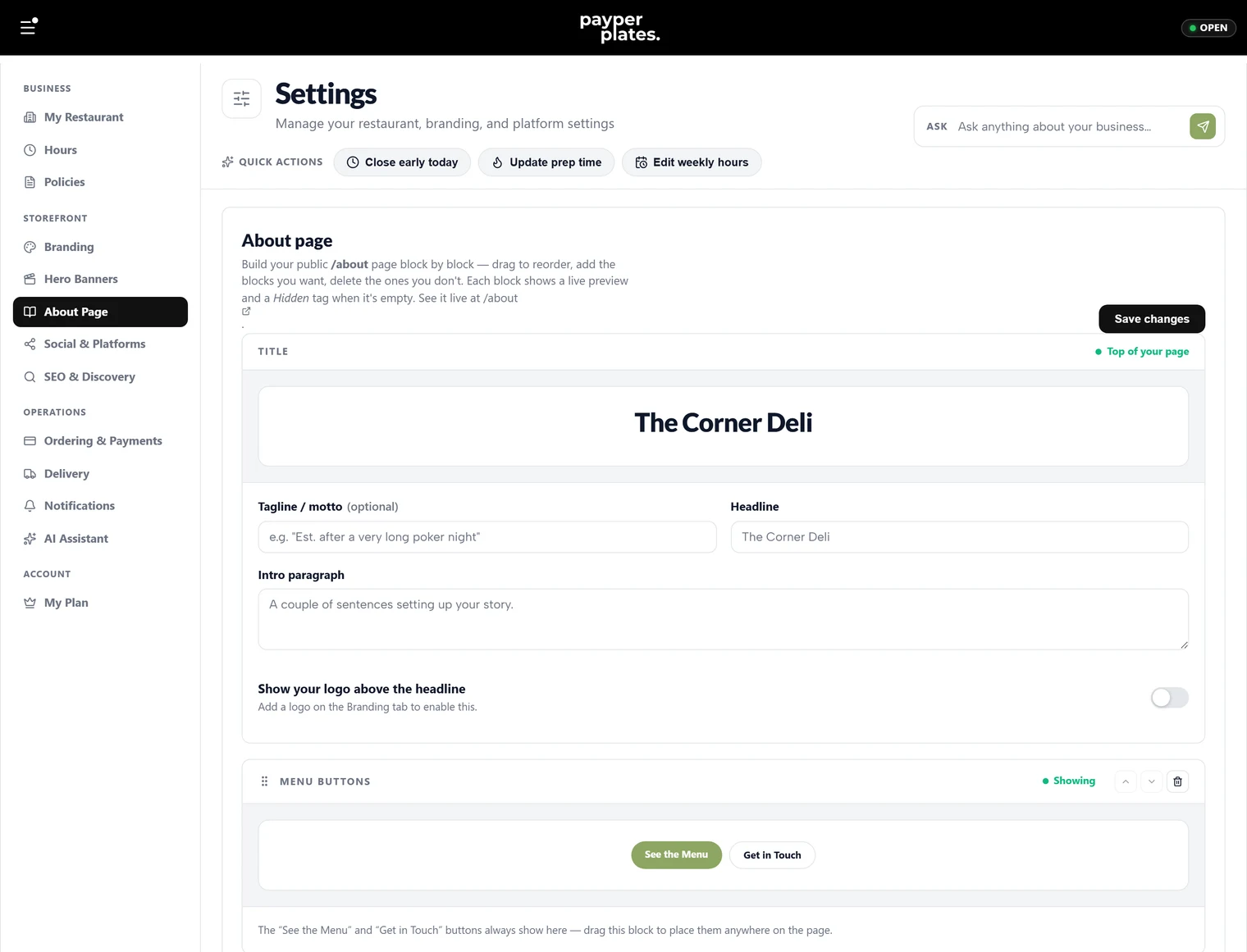
The About page is where you tell customers who you are — your story, your people, and what makes your food worth ordering. You build it under Settings → About Page. Everything you fill in has a live preview so you can see the page as customers will.
The intro
Start with the top of the page:
- Headline — the title of your About page. Left blank, it uses your restaurant name.
- Tagline — a short line under the headline, like "Est. after a very long poker night".
- Intro — a couple of sentences setting up your story.
- Intro photo — a wide banner photo shown under the intro (around 1600 × 500 works best).
Your story
The story section is room for the longer version — how you started, where it went, what you are about. Give it a heading and write a few paragraphs. You can add a photo alongside the text.
A defined term (optional)
If your restaurant has a concept worth explaining — "ghost kitchen", a signature style — you can add a short glossary-style entry with the term, a playful pronunciation line, and a plain-English definition. This is optional; skip it if it does not fit.
Your team
Introduce the people behind the food. Add a team member for each person, with a name, a role like "Co-Founder · Head Chef", and a portrait or candid photo (around 800 × 700 works best). A few real faces builds trust.
Closing
Finish with a closing line and a sign-off — a short message and the names behind the restaurant. You can also choose whether to show menu buttons on the page so readers can jump straight to ordering.
Keep it honest and current
The About page is one of the few places customers slow down and read. Keep it true to your restaurant and update it when your team or story changes.